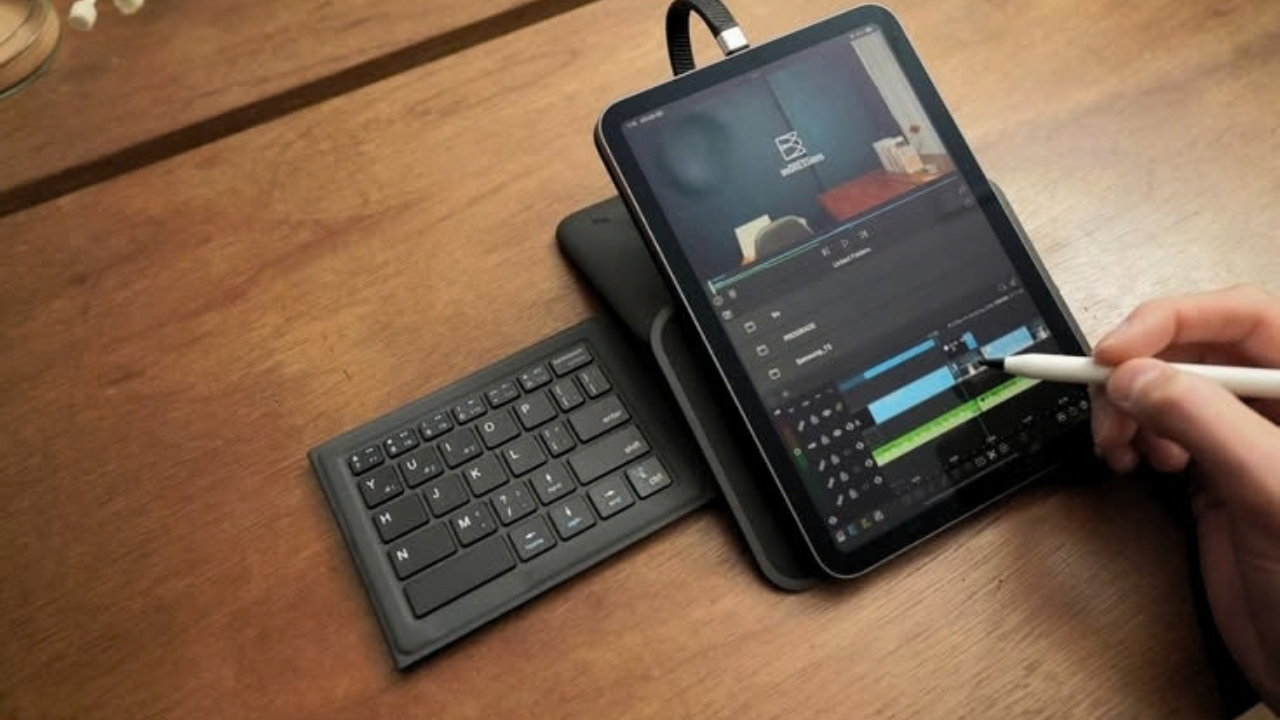
When people think about the iPad, they usually imagine a large-screen tablet designed for entertainment, note-taking, drawing, or replacing a laptop. The iPad mini 6 is different. Its biggest advantage is not raw power or screen size, but its compact form factor.
After using the iPad mini 6 for around two years, filmmaker and content creator Anurag Joshi has found a surprisingly practical role for Apple’s smallest tablet. Although he does not consider himself deeply invested in the Apple ecosystem, the iPad mini has gradually become a regular part of his professional filmmaking setup.
What makes the experience interesting is that the tablet isn’t being used as a laptop replacement. Instead, it fills several small but important gaps in a creator’s workflow.
The iPad mini’s Biggest Advantage Is Its Size
For Joshi, the most compelling feature of the iPad mini 6 is its physical size.
Traditional tablets can be useful, but carrying a relatively large device everywhere can sometimes defeat the purpose of having a portable computer. The iPad mini sits somewhere between a smartphone and a full-sized tablet. It is small enough to carry almost like a notebook while still offering substantially more screen space than a phone.
That balance makes it particularly useful when traveling or working outside a traditional studio.
The device does not necessarily need to perform every task. Instead, its value comes from being immediately available whenever a small screen can make a particular job easier.
For a filmmaker, that can translate into several surprisingly useful applications.
A Simple but Effective Teleprompter
One of the most practical uses Joshi found for the iPad mini is as a teleprompter.
When filming yourself, remembering an entire script can be difficult, especially when the video requires precise information or a specific sequence of dialogue. A teleprompter allows the creator to maintain eye contact with the camera while following the script.
The iPad mini’s compact dimensions make it particularly convenient for this purpose. It can be positioned close to the camera without requiring a large monitor or taking up significant space around the filming setup.
For solo creators, this can be especially valuable. Instead of needing another person to hold notes or constantly looking away from the lens, the creator can keep the script directly beside the camera.
It is a relatively simple use case, but one that can save time during production.
Using It as a Camera Monitor
The iPad mini also becomes useful as an additional screen while filming.
When creators shoot themselves, checking framing, focus, and composition can be challenging. A camera may be positioned several feet away, making its built-in display difficult to monitor during recording.
An external screen solves this problem.
In Joshi’s workflow, the iPad mini can act as a camera monitor, allowing him to check what the camera is seeing without repeatedly walking back and forth between the camera and his filming position.
This is particularly useful for solo filmmaking, where there may not be a dedicated camera operator.
The larger display compared with a smartphone also provides a more practical way to inspect the frame and make adjustments before recording.
A Digital Sketchpad for Ideas
Another role the iPad mini plays is as a digital sketchpad.
Filmmaking often begins before a camera is switched on. Creators may need to visualize shots, sketch compositions, write down ideas, or quickly plan how a scene should look.
The iPad mini’s size makes it convenient for these spontaneous moments.
Instead of opening a laptop or reaching for a notebook, a creator can quickly grab the tablet and write or sketch an idea. This makes it less about replacing traditional creative tools and more about reducing the friction between having an idea and recording it.
That can be particularly useful for visual creators because ideas can sometimes be communicated more easily through a quick drawing or rough visual plan than through written notes.
Keeping References Off the Main Computer
The iPad mini can also function as a secondary reference screen.
Filmmakers frequently work with reference images, lighting diagrams, color references, shot lists, or visual inspiration. Keeping these materials open on the primary computer can become inconvenient, especially when the computer is already being used for editing or other production tasks.
The iPad mini provides another screen without requiring a large monitor.
A creator can place it beside the main workstation and keep a lighting reference, image, script, or other visual information visible while continuing to work on the primary computer.
This is one of those small workflow improvements that may not sound revolutionary but can become extremely useful with repeated use.
The 60Hz Display Is a Noticeable Limitation
The iPad mini 6 is not perfect, however.
One of the frustrations Joshi highlights is its 60Hz display. Compared with devices featuring higher refresh-rate screens, scrolling and animations on the iPad mini can feel less fluid.
For someone who regularly uses modern smartphones, tablets, or computers with high-refresh-rate displays, the difference can become noticeable.
This does not necessarily make the screen unusable. It is simply one of those compromises that becomes apparent during everyday interaction.
The display is perfectly functional for reading scripts, checking camera framing, viewing references, and sketching ideas, but users accustomed to 90Hz, 120Hz, or higher refresh rates may wish Apple had included a faster panel.
iPadOS Still Has Its Limits
The other major limitation is software.
The iPad mini 6 has capable hardware, but iPadOS can sometimes prevent that hardware from reaching its full potential. Multitasking and professional workflows can be more restrictive than what users might experience on a traditional computer.
However, this limitation needs to be viewed in context.
Joshi isn’t using the iPad mini as his primary computer. He isn’t expecting it to replace a laptop or desktop. Instead, the device is valuable because it performs several specialized tasks exceptionally conveniently.
That distinction is important.
A device doesn’t necessarily have to replace another device to be useful. Sometimes its greatest value comes from doing a handful of jobs better or more conveniently.
Would He Buy It Again?
Despite the 60Hz display and iPadOS limitations, Joshi’s overall experience with the iPad mini 6 has been positive enough that he would purchase it again.
Perhaps the most interesting part of his experience is that the device has become so naturally integrated into his workflow that he sometimes forgets he is even using an Apple product.
That says something about the iPad mini’s appeal.
Its value isn’t necessarily about Apple’s ecosystem, flashy specifications, or replacing a computer. Instead, it comes from its physical design and ability to quietly solve everyday problems.
For filmmakers, content creators, and other visual professionals, that can be more important than having the most powerful tablet available.
Final Thoughts
The iPad mini 6 demonstrates that technology doesn’t always need to be revolutionary to be useful. Its compact size allows it to occupy a unique position between a smartphone and a traditional tablet, making it particularly well suited to creators who need an extra screen without carrying additional bulky equipment.
As a teleprompter, camera monitor, digital sketchpad, and reference display, it can become a surprisingly valuable part of a filmmaking setup.
There are certainly compromises, particularly the 60Hz display and limitations of iPadOS. But when the device is viewed as a s