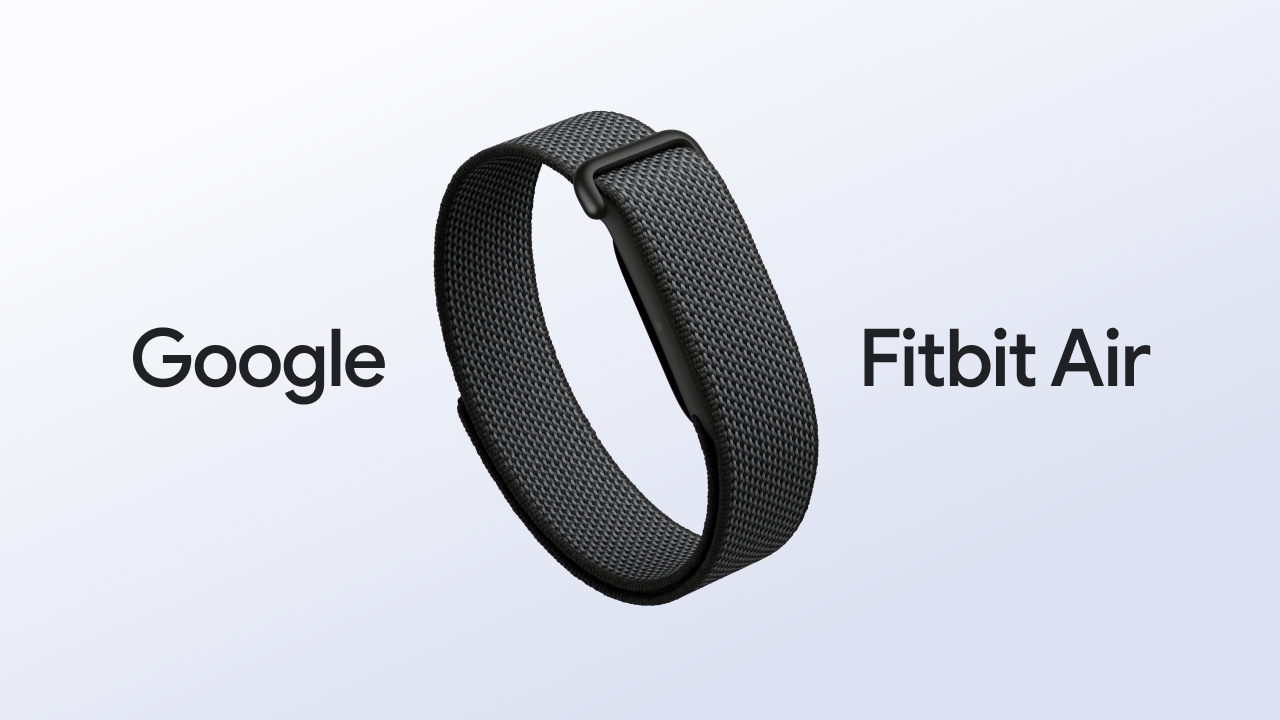
Fitness trackers have become increasingly advanced, but not everyone wants another screen on their wrist. Google is taking a different approach with the Fitbit Air, a lightweight, screen-free fitness tracker designed to monitor health and fitness throughout the day without the notifications and distractions associated with traditional smartwatches.
Instead of displaying information directly on your wrist, Fitbit Air collects health data and sends it to the Google Health app on your phone. The result is a wearable focused primarily on fitness, sleep, recovery and wellness rather than calls, messages or apps.
Here is everything you need to know about Google Fitbit Air, including its design, health features, battery life, activity tracking and who it is designed for.
What Is Google Fitbit Air?
Google Fitbit Air is a compact, screenless wearable designed for continuous health and fitness tracking. Unlike a smartwatch, it does not have a traditional display or a collection of apps competing for your attention.
Google describes Fitbit Air as its smallest tracker, using high-fidelity sensors inside a discreet pebble-shaped device. The tracker can monitor metrics such as heart rate, heart rhythm, blood oxygen levels, resting heart rate, heart rate variability, sleep stages and sleep duration.
The main idea is simple: wear the device throughout the day and night, then use your phone when you actually want to look at your health information.
A Screen-Free Design
The most noticeable feature of Fitbit Air is also what it does not have: a screen.
There are no constant notifications, social-media alerts or messages appearing on your wrist. This makes Fitbit Air particularly interesting for people who want wearable health tracking without turning their fitness device into another smartphone.
The small, lightweight design is intended for 24/7 wear, including during sleep. Google also allows users to switch between Fitbit Air and compatible Pixel Watch devices while keeping their health information synchronized through the Google Health app.
Because there is no conventional display, Fitbit Air uses a small status light to communicate basic information such as charging and battery status. Users can also double-tap the device to check whether the battery is above or below certain levels.
24/7 Health Tracking
Health tracking is at the heart of Fitbit Air.
The device continuously collects several types of health and fitness information, allowing users to identify patterns over time rather than relying on occasional measurements.
Depending on availability and supported features, Fitbit Air can track:
- Heart rate
- Heart rhythm
- Steps
- Distance
- Resting heart rate
- Heart rate variability (HRV)
- Blood oxygen (SpO₂)
- Sleep stages and duration
- Calories burned
- Cardio load
- Other wellness trends
Fitbit Air can also provide irregular heart rhythm notifications that may indicate signs associated with atrial fibrillation (AFib). SpO₂ estimation is available during sleep, although Google notes that certain advanced features are not available in every country or region.
These measurements are intended to help users understand health trends and should not be treated as a replacement for professional medical testing or diagnosis.
Automatic Workout Tracking
Another useful feature is automatic activity recognition.
Rather than requiring users to manually start every workout, Fitbit Air can automatically detect and record many common activities. After exercising, users can open the Google Health app to review their workout information, modify details and tag exercises.
For more structured training, users can also start workouts through the Google Health app and access real-time information such as heart-rate zones while exercising. Google Health Coach can provide additional workout guidance and personalized recommendations based on the information collected by the wearable.
This approach makes Fitbit Air suitable for people who want fitness tracking to happen in the background rather than constantly interacting with their device.
Sleep and Recovery Tracking
Sleep is another major focus of Fitbit Air.
Because the tracker is designed to be lightweight and comfortable enough for overnight use, it can collect information about sleep duration and different sleep stages. Over time, this data can help users identify changes in their sleeping patterns and understand how their daily habits may affect recovery.
The lack of a screen can also be an advantage at night. There are no incoming notifications or bright smartwatch displays competing for attention when you’re trying to sleep.
Fitbit Air also supports silent alarms through the Google Health app. These alarms use vibration on the wrist rather than an audible alarm, allowing users to wake up without disturbing someone nearby.
Up to Seven Days of Battery Life
Battery life is one of Fitbit Air’s biggest practical advantages.
Google says the tracker can provide up to seven days of battery life, depending on usage and other factors. That means users can potentially wear it for days without constantly removing it to recharge.
When it does need charging, fast charging is designed to minimize downtime. Google says five minutes of charging can provide approximately a full day of use.
For people who want continuous sleep and health tracking, this can be particularly useful because frequent charging can otherwise create gaps in fitness and sleep data.
Google Health App and AI-Powered Coaching
Fitbit Air works closely with Google’s new Health app, where users can view their collected information, monitor trends and receive personalized insights.
The app brings health information from supported sources together in one place, while Fitbit Air supplies continuous wearable data.
Another important part of the experience is Google Health Coach, which uses health and fitness information to provide more personalized guidance. With Google Health Premium, users can access features such as personalized fitness plans, sleep insights and other wellness recommendations.
However, it is important to note that some advanced health and coaching features require Google Health Premium, so buyers should check exactly which features are included with their subscription and which are available in their region.
Who Is Fitbit Air For?
Fitbit Air is primarily designed for people who want health tracking without the complexity of a smartwatch.
It could appeal to beginners starting a fitness routine, runners and gym users who want automatic activity tracking, people who prioritize sleep monitoring, or anyone who simply does not want another screen demanding their attention.
It may be less suitable for someone who wants a smartwatch experience with apps, notifications, music controls, calls and other wrist-based features.
Final Thoughts
Google Fitbit Air takes a different approach to wearable technology. Instead of trying to put more features onto your wrist, it removes the screen and focuses on quietly collecting health and fitness information in the background.
Its combination of continuous health tracking, automatic activity recognition, sleep monitoring, lightweight design and up-to-seven-day battery life makes it a distinctive option in the fitness wearable market. Integration with the Google Health app and Google Health Coach adds another layer by turning raw tracking data into personalized insights.
Ultimately, Fitbit Air is built around a simple idea: your fitness tracker does not need to constantly get your attention to help you understand your health. For people who want detailed health tracking while keeping their wrist distraction-free, that could be the device’s biggest appeal.